Publish date: 2026-05-07
Keywords: Nano Banana Pro, multi-view prompts, contact sheet, character scenes, portrait-style output
Use this Nano Banana Pro contact sheet prompt to explore nine shots from a reference image: establishing views, medium shots, close-ups and high or low camera angles. The goal is a 3×3 storyboard draft, not a precise reconstruction of the scene. Faces, wardrobe, props and backgrounds may change between panels and need review. This guide does not provide repeated test runs or a measured success rate.
Contact sheet or character turnaround?
A contact sheet explores framing and shot coverage within a scene. For aligned front, side and back character views, use the character three-view guide. For a change to one region of an existing image, start with local editing and multi-image fusion.
This is an independent tutorial. The creation button opens a partner app; neither this site nor that app represents Google. Check the app for actual model availability, input requirements, credits and pricing.
Tasks to explore with a contact sheet
- People, couples, or small groups: keep blocking and interaction readable across establishing shots and close-ups.
- Vehicles or hero props: preserve full-object readability while moving from wide to ECU details.
- Portrait-forward work: the bottom row (ECU + low + high angles) adds texture, gaze, and memorable silhouette beats.
Start with a reference image
These prompts assume you upload a reference image first. Copying text does not attach the image or select an editing mode. Use a reference you have permission to work with, where the main subject, wardrobe and important props are visible. Confirm the selected app supports reference editing and that the intended image is attached.
Begin with one person or one main object. For a group, specify the number of people, relative positions and interaction. Separate the features to preserve from the framing changes you want. Unseen backs, objects and parts of the environment must be inferred; generated details are not evidence of what the real scene contains.
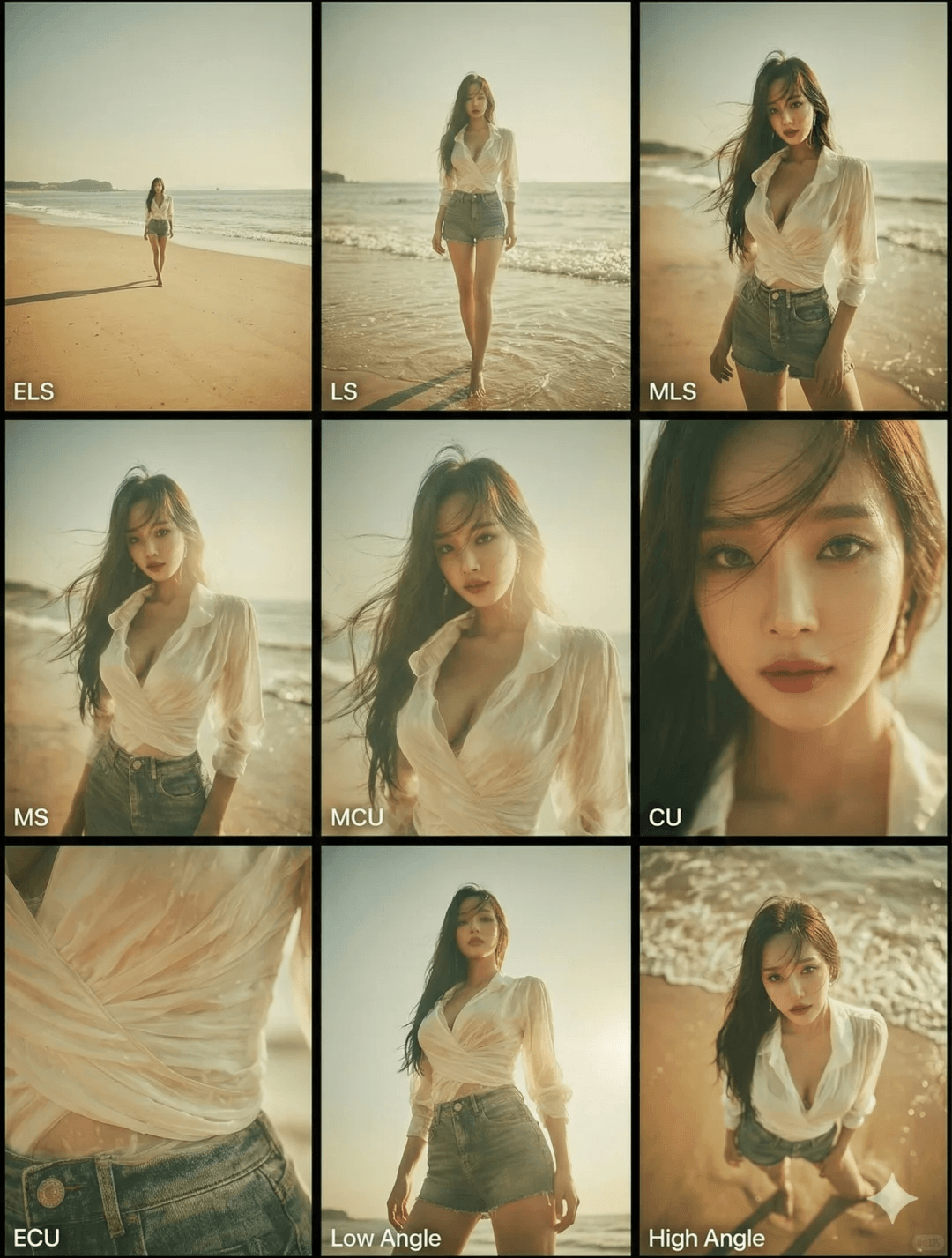
Shot grammar (3×3 grid)
Row 1 — world-building
- ELS: subject small in a broad environment.
- LS: full figure (head-to-toe) or full vehicle read.
- American / three-quarter: knees-up for people, ~¾ view for objects.
Row 2 — narrative core
- MS: waist-up (or the object’s action core) with clear motion/interaction.
- MCU: chest-up intimacy on the lead subject.
- CU: tight on face or the object’s “front plane.”
Row 3 — detail & angle
- ECU: eyes, hands, logos, materials—micro storytelling.
- Low angle / worm’s-eye: upward from ground level for scale and drama.
- High angle / bird’s-eye: downward read for relationships or isolation.
All nine panels must show the same people/objects, same wardrobe, and same lighting; depth of field should scale realistically (stronger blur in close shots).
These are target constraints, not guarantees. Nine populated panels alone do not establish continuity.
Copy-ready prompt block
<instruction>
Analyze the full composition of the input image. Identify every key subject (single person, group/couple, vehicle, or focal object) and their spatial relationships/interactions.
Generate a coherent 3x3 "contact sheet" grid showing nine distinct shots of exactly those subjects in the same environment.
Adapt standard cinematic shot types to the content (keep groups together; keep full objects readable when required):
Row 1 (establishing): ELS (subject small in space); LS (full subject/group head-to-toe / wheels-to-roof); medium-long / American / three-quarter (knees-up for people or ~¾ for objects).
Row 2 (coverage): MS (waist-up or the object's action core, emphasizing interaction); MCU (chest-up); CU (tight on face or the object's front plane).
Row 3 (detail & angle): ECU (eyes, hands, logos, texture); low-angle (heroic scale); high-angle (top-down relationship read).
Enforce strict continuity: identical subjects, wardrobe, and lighting across all nine panels; realistic depth of field with believable background blur in close shots.
</instruction>
Deliver a professional 3x3 film storyboard grid with photoreal texture, unified cinematic color, and correct subject counts matching the analyzed reference.
Reference visuals
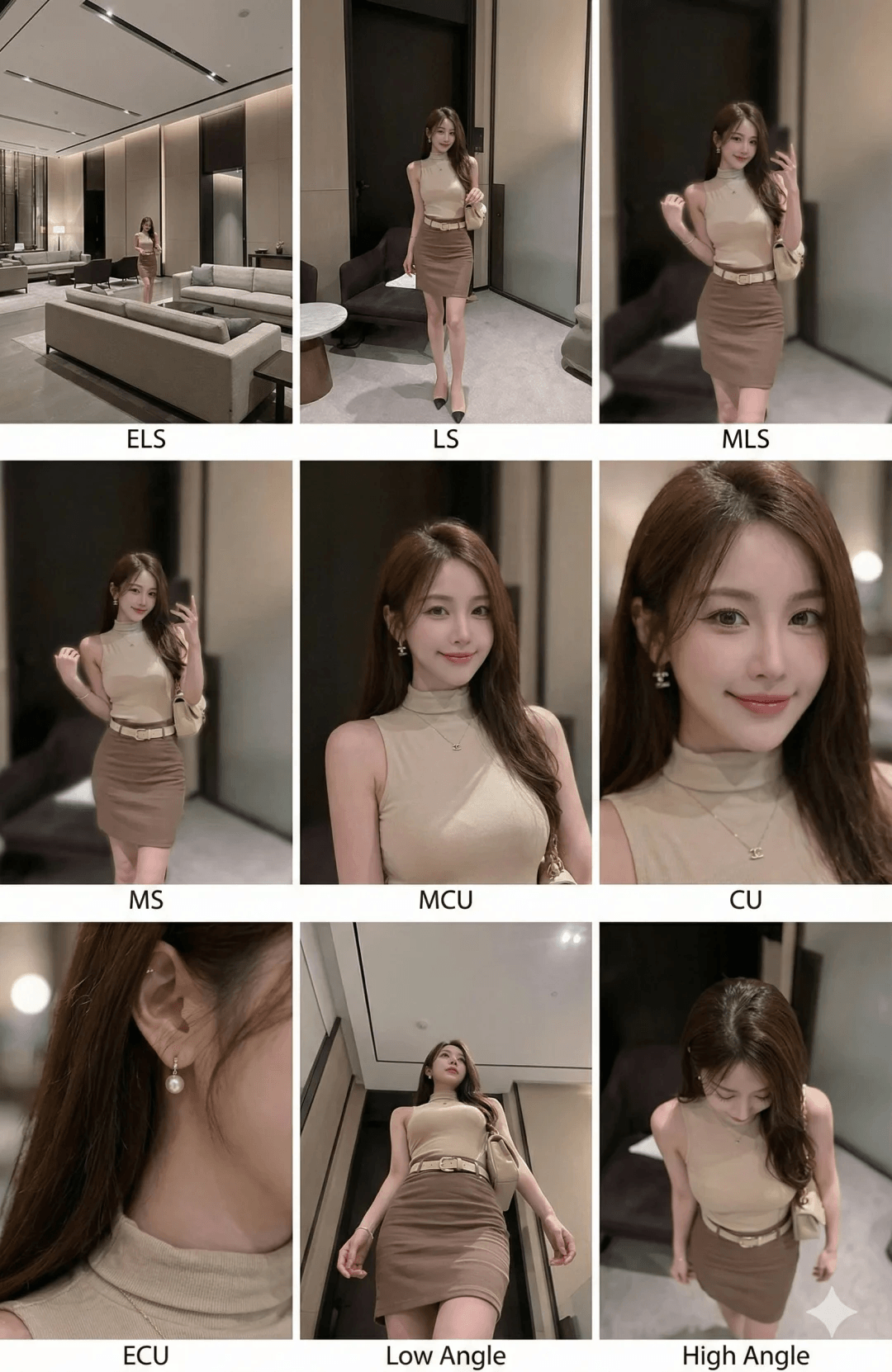
The first image matches the article cover URL. These visuals illustrate composition and color; complete inputs, model settings and repeat-run records are not attached, so they do not establish reproducibility for another reference image.
Review the grid before using it
- Layout: count nine panels and check their order. Look for repeated shots, missing cells and unwanted labels.
- Subject continuity: compare faces, hair, clothing, object shape and subject counts with the reference. A tiny face in a wide shot is not proof of a match.
- Shot coverage: distinguish distance from camera angle. Check that full shots contain the whole subject and close-ups show the requested detail.
- Scene continuity: compare positions, background landmarks, light direction and contact shadows across the grid.
- File size: inspect actual downloaded pixel dimensions. A cropped panel has fewer pixels than the full sheet; a prompt saying “professional” does not set export specifications.
Fix one panel without losing the reference
- Wrong framing: name its row and column, for example “Change only row 2, column 3 to a face close-up.” If the app does not support region editing, the instruction does not guarantee that other cells stay unchanged.
- Face or wardrobe drift: return to the original reference, reduce style and pose changes, and test fewer shots before attempting the full grid again.
- A crop is too small: use the selected composition as a reference for a separate shot, then check it again. Upscaling does not prove that newly drawn detail was present in the original.
- Broken text or logos: remove nonessential lettering from the generation request and add shot numbers or titles during layout. See the failure checklist for more troubleshooting.
For another task, browse the prompt collection. For help separating changes from preservation rules, read the prompt guide.